
Everything you need to
coach with confidence
Built specifically for K12 instructional coaches who manage multiple teachers, travel between classrooms, and need a portable workspace that works anywhere.

8 Core Features
Each feature designed to save you time and build trust with teachers
Goal Tracking
SMART goals with visual progress and milestone celebration
Artifact Collection
Mobile-first uploads organized automatically by teacher and goal
Privacy Controls
Teacher-controlled visibility with transparent privacy settings
Coaching Notes
Contextual note-taking organized by teacher and date
Multi-Context Management
Manage multiple districts in one unified dashboard
Lesson Planning
Collaborative co-planning with templates and shared resources
Progression Tracking
Track teacher growth stages from Emerging to Leading
Reporting
Auto-generate non-evaluative reports to prove program impact
Goal Tracking
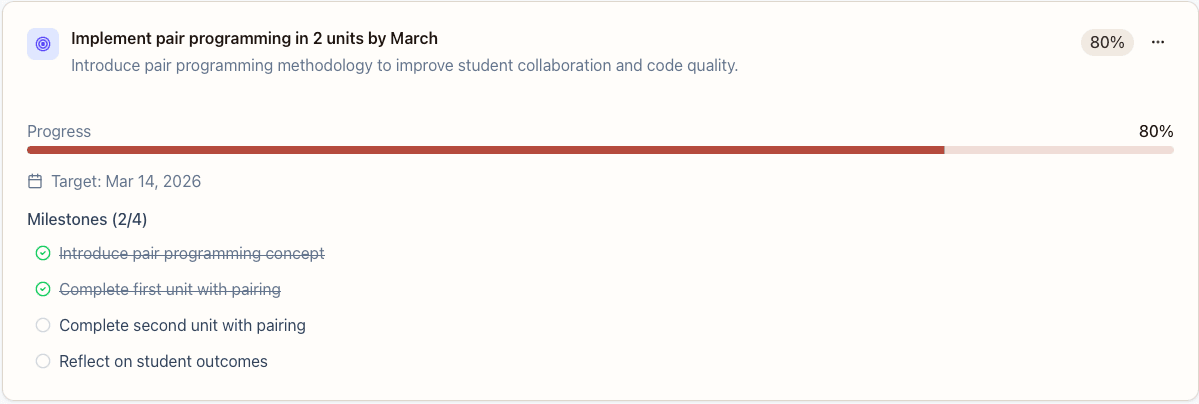
Set SMART goals collaboratively with teachers and track progress with visual timelines. Celebrate milestones and keep everyone aligned with teacher growth plans.
- SMART goal templates aligned with district frameworks
- Visual progress indicators and milestone tracking
- Automatic reminders for check-ins and reflections
Artifact Collection
Teachers upload lesson plans, student work, and photos in under 10 seconds from their phone. Everything is automatically organized by teacher and linked to relevant goals.
- Mobile-first upload from camera or files
- Automatic organization by teacher and goal
- Support for photos, PDFs, and documents
Privacy Controls
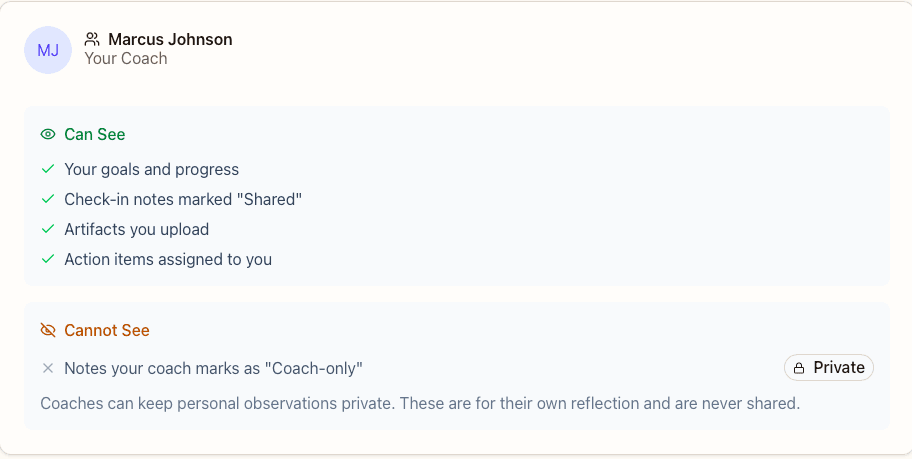
Teachers have full control over what their admin can see. Coaches can add private notes that stay confidential. Transparent privacy builds trust and encourages honest collaboration.
- Teacher-controlled visibility per artifact and goal
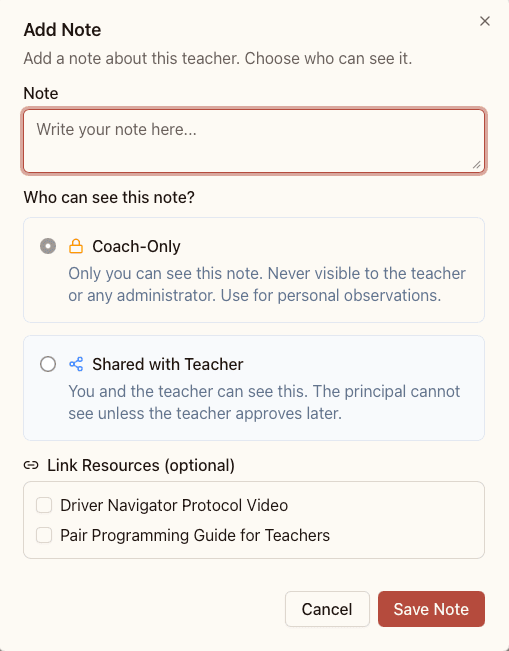
- Coach-only notes that stay private
- Clear indicators showing what admins can access
Coaching Notes
Take notes during observations or check-ins, organized automatically by teacher and date. Search and filter across all your coaching sessions to find patterns and track conversations.
- Quick note-taking during classroom visits
- Organized by teacher, date, and goal
- Searchable and filterable across all sessions
Multi-Context Management
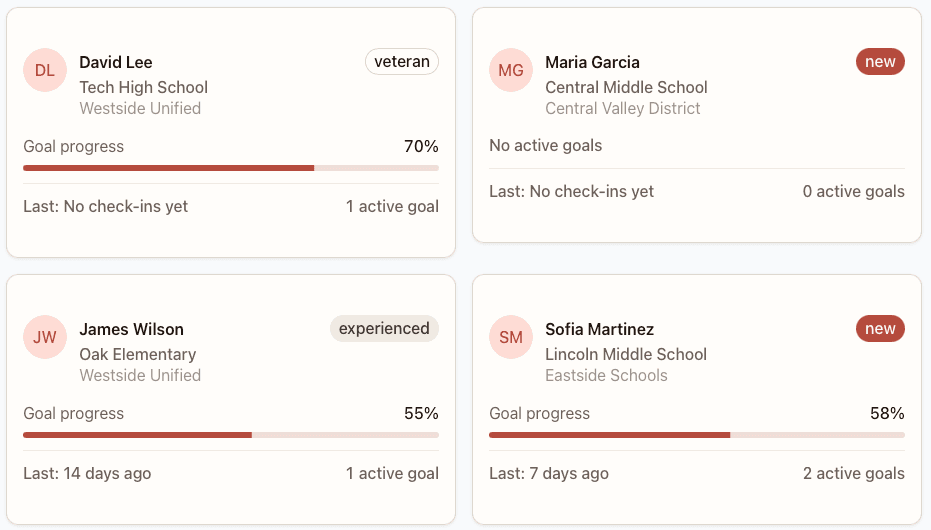
Manage multiple schools or districts from one dashboard. Switch contexts seamlessly without losing information or having to log in multiple times.
- Unified view across all schools and districts
- Quick context switching without re-authentication
- Per-context settings and permissions
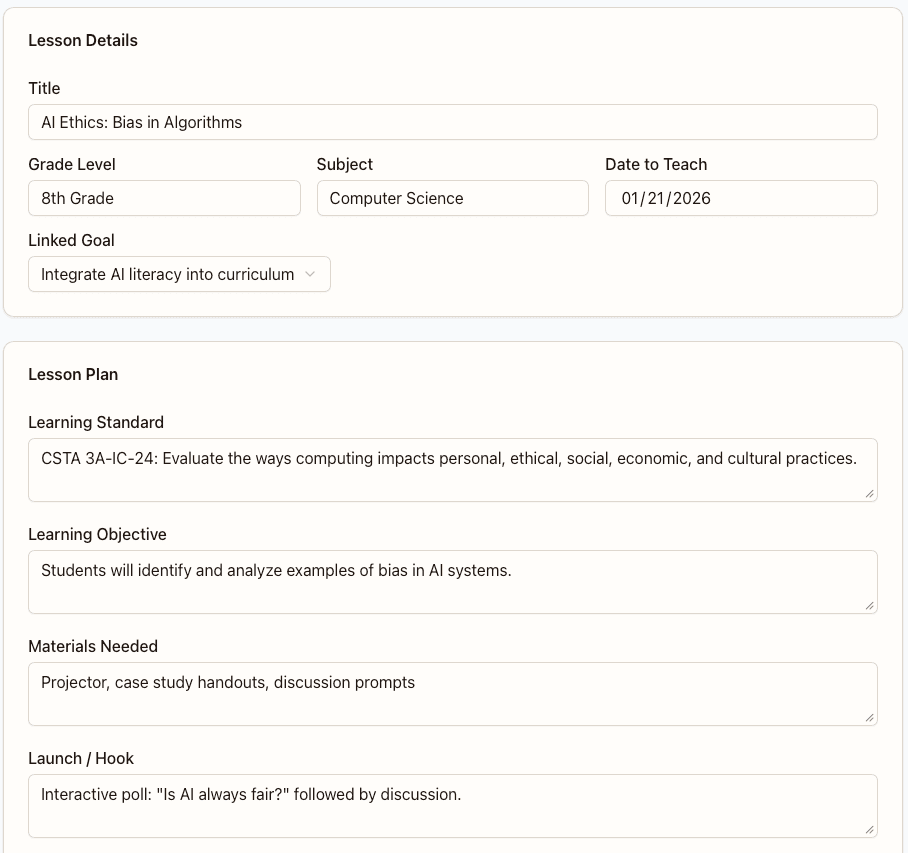
Lesson Planning
Co-plan lessons with teachers during your check-ins. Use templates, share resources, and link plans to observations and goals for seamless continuity.
- Collaborative planning with real-time editing
- Template library and shared resource bank
- Linked to observations and teacher goals
Progression Tracking
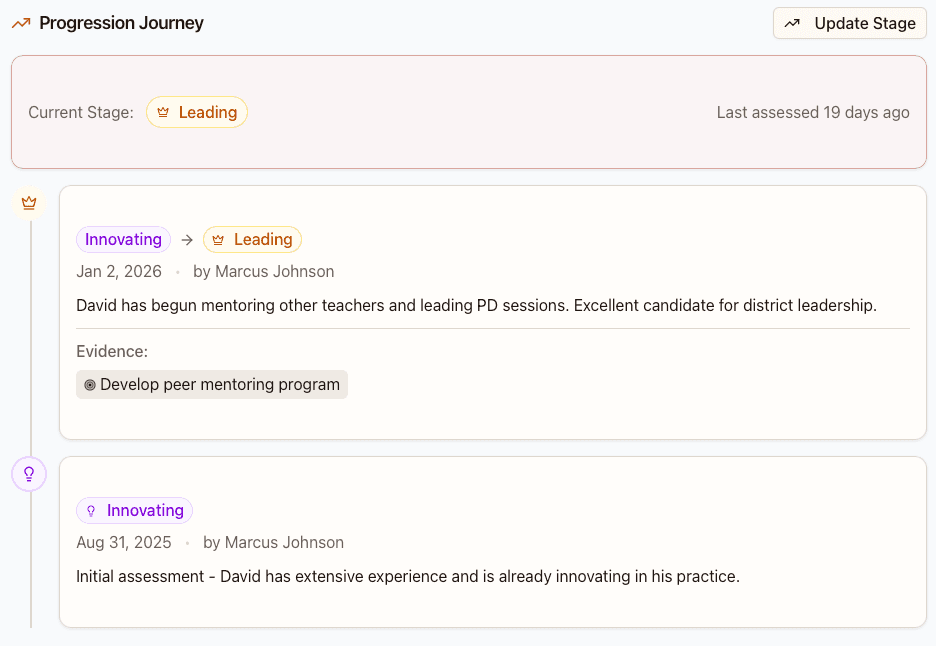
Track each teacher's growth journey from Emerging to Leading. Visualize progression over time, celebrate achievements, and identify areas for focused support.
- Growth stage tracking (Emerging → Developing → Proficient → Leading)
- Visual progression timelines and milestones
- Automated celebration of achievements
Reporting
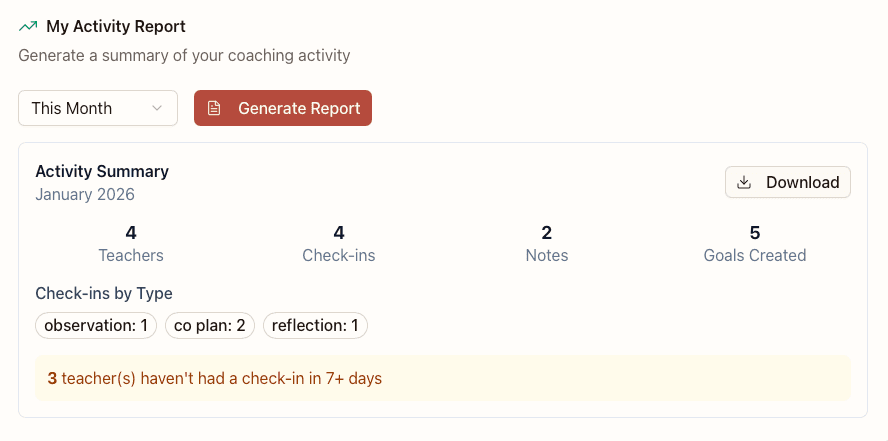
Generate non-evaluative reports with one click. Show coaching activity, teacher engagement, and program impact to prove ROI to district leaders—without compromising teacher trust.
- One-click report generation for admins
- Aggregate coaching activity and teacher engagement metrics
- Non-evaluative data respects teacher privacy
Built for Your Role
CoachDesk adapts to how instructional coaches, teachers, and admins work
Your Portable Desk
Common Challenges:
- •Managing 10+ teachers across multiple schools
- •Juggling scattered tools and notes
- •Spending hours on end-of-cycle reports
How CoachDesk Helps:
- ✓Unified dashboard for all your teachers
- ✓Quick artifact review on mobile
- ✓One-click report generation
"Review 3 teachers' progress, log check-ins, and generate a district report—all in 20 minutes."
Share Safely, Grow Confidently
Common Challenges:
- •Worried about admin seeing unfinished work
- •Hard to share artifacts quickly
- •Unclear what's expected for growth goals
How CoachDesk Helps:
- ✓You control what your admin can see
- ✓Upload from your phone during prep period
- ✓Clear goals with supportive feedback
"Upload today's lesson plan from your phone. See exactly what your admin can access."
See the Impact
Common Challenges:
- •No visibility into coaching activity
- •Can't prove coaching ROI to district
- •Worried about being blindsided by teacher struggles
How CoachDesk Helps:
- ✓Aggregate program health dashboard
- ✓Proof of coaching impact and engagement
- ✓Non-evaluative data respects teacher privacy
"View coaching activity across your school. See growth trends without individual evaluation data."
All features included, free
No credit card required. No trial period. Start using CoachDesk today.
Free Plan
Everything you need to coach effectively
$0
per month
10 teachers
Per coach account
500 artifacts
Photos, documents, files
Unlimited schools
Manage multiple contexts
All 8 features
Goals, notes, check-ins & more
Need more capacity? Contact us for enterprise plans.
Ready to take your desk with you?
Start supporting teachers with confidence. It's free.